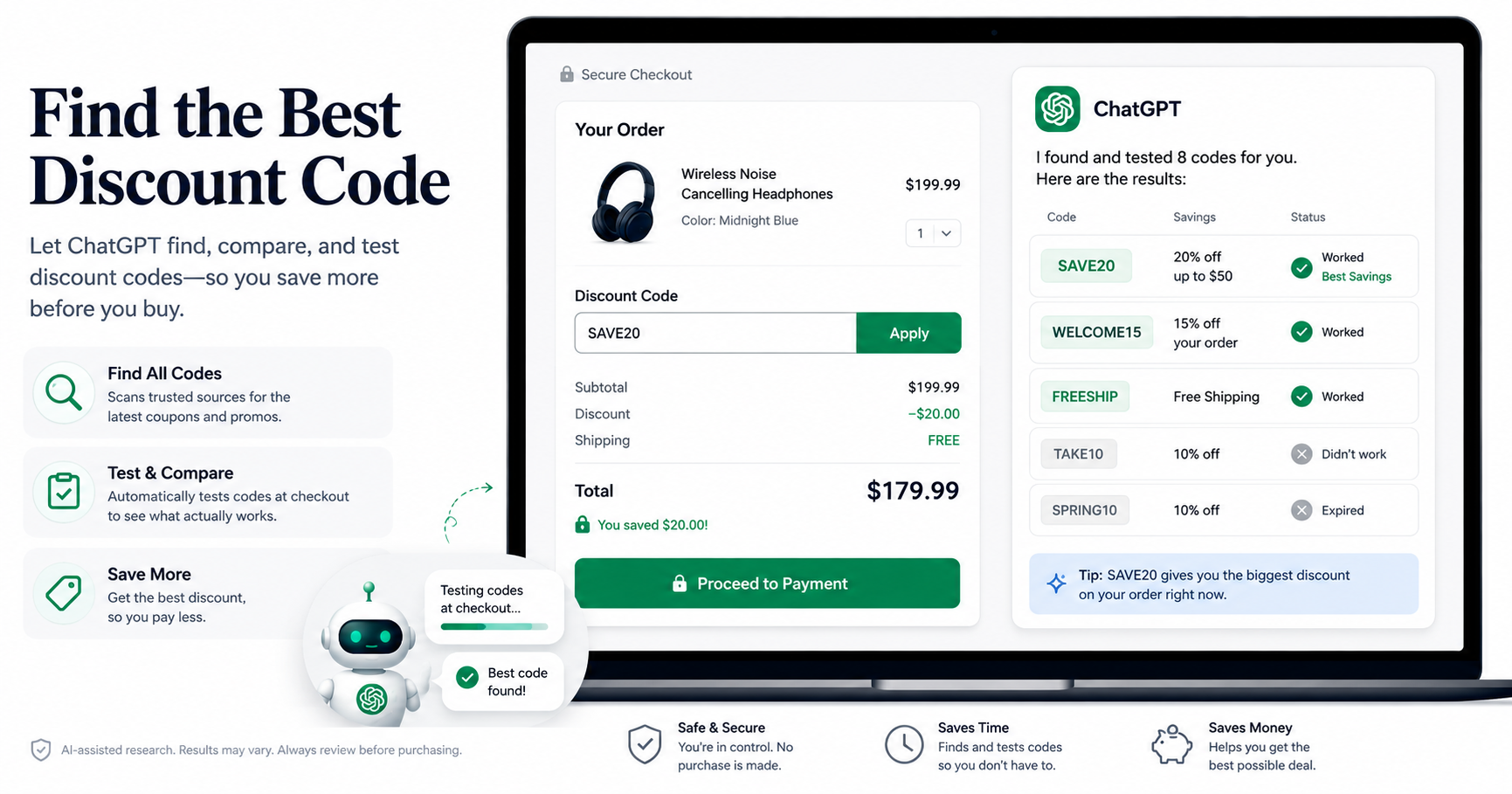
Online stores often have several possible ways to reduce a purchase price. There may be a public promo code, a first-order offer, free shipping, a sale price, cashback, or a price-match opportunity. The difficult part is finding and comparing those options quickly.
ChatGPT can help with the research. Its web search can look for current information instead of relying only on information already in the conversation. The exact tools and browser capabilities available to you depend on your ChatGPT experience and plan.
Before You Buy: The Setup
Start with the exact product page for the item you want. A specific product URL gives the research step more useful context than a store homepage.
- Open ChatGPT and choose Work if it is available. Work is designed for longer, multi-step tasks. Availability can depend on your account, plan, and workspace.
- Turn on web search. Use ChatGPT Search or the Search option available in your interface. This lets ChatGPT look for current web information.
- Copy the exact product link. Use the product page rather than the store homepage whenever possible.
- Keep the same chat open. The second prompt can use the discount-code research from the first prompt.
Prompt 1: Find Every Code
The first prompt asks ChatGPT to search for possible codes and related offers. It also asks for the source and an indication of whether each offer appears current.
Find Every Code
I'm about to buy this: [paste the product link].

Use web search to find current discount codes, coupons, and promotions for this exact product or store. For each possible offer, give me:

1. The code or offer.
2. What it is supposed to save.
3. Where you found it.
4. Whether the source looks current, uncertain, or possibly expired.

Also check for first-order discounts, newsletter sign-up offers, free-shipping offers, and relevant store promotions.

Put the most promising options at the top. Do not present an unverified code as guaranteed to work.
What happens next
ChatGPT can search relevant web pages and organize possible offers into one list. The result is a set of candidates, not a guarantee that every code will work.
That distinction matters. Coupon pages can contain expired codes, user-submitted codes, or offers with restrictions. Check the retailer's terms and the checkout result before assuming a discount applies.
Prompt 2: Test the Codes at Checkout
The next step depends on the browser capabilities available in your ChatGPT experience. Supported browser tools can interact with web pages, but some environments stop when a task requires credentials, payment information, or another confirmation step.
If your browser workflow can reach the promotion field, use this prompt to compare the candidates. The instruction explicitly tells ChatGPT not to complete the purchase.
Test the Codes
Now open the browser and go to the checkout page for this item with it in my cart. If the current browser experience supports this checkout workflow, test the candidate discount codes one at a time.

For each code, tell me:
1. Whether it works.
2. The discount amount.
3. The resulting order total.

Do NOT complete the purchase or submit payment. Stop after the discount and final total are visible so I can review everything and complete the purchase myself.

If you reach a login, verification, payment, or other step that requires me to take over, stop there and tell me exactly what I need to do.
Why this step matters
A code that appears on a coupon website is only a candidate. The checkout result is more useful because it shows whether the offer actually applies to your cart.
Set Up the Browser Workflow
If your available ChatGPT browser can interact with the store page, have the product in your cart before starting. If the workflow requires you to sign in or complete a verification step, take over when ChatGPT asks.
ChatGPT's browser experiences can differ. The built-in desktop browser can support sign-in through the browser, while cloud browser workflows can stop when credentials or payment are required. Do not assume that every ChatGPT interface can perform every checkout action.
If no browser opens
Check which tools are available in your ChatGPT interface. Search and Work are separate capabilities, and availability can vary by plan or workspace.
If the workflow stops at login
Complete the login yourself in the browser when prompted. Then continue the task if the browser experience supports the remaining steps.
If the site blocks repeated attempts
Do not repeatedly submit codes at high speed. Ask ChatGPT to test them one at a time, or test the most promising candidates manually. Some retailers can limit repeated requests.
When There Is No Code, Still Look for Savings
A failed coupon search does not automatically mean the listed price is the best available price. Use the same chat to investigate other options.
The new-customer play
First-Order Discount
This store has no public discount code that appears to work.

Find out whether the store currently offers a first-order, new-customer, newsletter, or sign-up discount.

Tell me exactly how the offer works, what restrictions apply, and what I need to do before checkout.
The wait-it-out play
Abandoned Cart Research
Is this store currently known to send an abandoned-cart discount after an item is left in the cart?

Search for recent evidence and explain whether this is a reliable promotion or only a possibility. If it is available, explain the steps I would need to take.
Check the price history
Buy Now or Wait
Is this a good current price for this exact item?

Search for recent price information and tell me whether it has been cheaper recently. If there is evidence of recurring sales or seasonal discounts, explain whether waiting could reasonably make sense.

Separate verified price information from estimates or predictions.
Find it cheaper somewhere else
Price-Match Hunt
Find this exact item at legitimate retailers and compare the current prices.

Check whether this store has a price-match policy. If a lower qualifying price exists, explain whether it appears eligible and how I can request the price match.

Compare the exact model, size, color, condition, seller, shipping cost, and other relevant terms before calling one offer cheaper.
Stack Discounts Like a Pro
The best result can come from combining several legitimate savings options. A coupon might combine with free shipping, cashback, or a retailer-specific promotion. Whether stacking works depends on the store's terms.
Stack Check
Of everything we found for this order, including discount codes, free shipping, first-order offers, cashback, store promotions, and price matching, which options can legally and practically be combined?

List the combinations that appear possible, explain any restrictions, and show the order in which I should apply each saving to maximize the final discount.
Add cashback when appropriate
Cashback programs can provide another source of savings, but terms can exclude certain coupon codes or purchases. Check the cashback provider's current terms before relying on the advertised rate.
Time the purchase
If the purchase is not urgent, ask about known sale periods, seasonal promotions, product replacement cycles, or recent price patterns. Treat predictions about future prices as estimates rather than guarantees.
The Shopping Habit That Can Save Time
Turn the process into a short checklist. Before an important online purchase, search for current offers first. Then compare the actual checkout total, shipping, price-match options, and other applicable savings.
The goal is not to force a coupon onto every purchase. The goal is to avoid assuming that the first displayed price is the only option worth considering.
The One-Page Cheat Sheet
1. Find current codes
Find Codes
I'm about to buy this: [product link].

Use web search to find current discount codes, coupons, promotions, first-order offers, and free-shipping offers for this exact product or store.

For each option, give me the code or offer, expected saving, source, and whether it appears current or uncertain.

Put the strongest candidates first and do not present unverified codes as guaranteed.
2. Compare them at checkout
Test Codes
If the current browser experience supports this checkout workflow, go to my cart and test the candidate codes one at a time.

Tell me which codes work, how much each saves, and the resulting total.

Do NOT complete the purchase. Stop before payment so I can review the final total and complete the purchase myself.

If login, verification, or payment is required, stop and tell me what I need to do.
3. If no code works
- Check first-order and newsletter offers.
- Investigate whether an abandoned-cart offer is currently reported.
- Compare the current price with recent prices.
- Search legitimate retailers for the exact item.
- Check the retailer's price-match policy.
- Compare compatible savings options such as free shipping and cashback.
- Consider waiting if the purchase is not urgent and there is evidence of recurring sales.
Your Action Plan
- Open ChatGPT and choose Work if it is available. Turn on Search.
- Paste the exact product link into Prompt 1.
- Review the candidate codes, sources, restrictions, and current status.
- Put the item in your cart and use Prompt 2 if your available browser workflow supports checkout interaction.
- If the browser stops at login or verification, take over and follow the browser's instructions.
- If no code works, use the first-order, price-history, price-match, and stacking prompts.
- Review the final total yourself before making the purchase.
Frequently Asked Questions
Can ChatGPT find current discount codes?
ChatGPT can search the web for current information when Search is available. The results should still be treated as candidate offers because coupon codes can expire or have restrictions.
Will every discount code ChatGPT finds work?
No. A search result does not guarantee that a code works for your cart. Retailer restrictions, product exclusions, minimum order values, customer eligibility, and expiration dates can affect whether a code applies.
Can ChatGPT test codes at checkout?
This depends on the browser experience available to you. Supported browser tools can perform certain web actions, but some workflows stop when credentials, payment, or other confirmation steps are required.
Should I let ChatGPT complete the purchase?
The workflow in this guide is designed to stop before payment. Review the final order total and complete the purchase yourself.
What if there is no coupon?
Compare the current price with recent prices, check for first-order offers, investigate price matching, compare legitimate retailers, and look for compatible savings such as free shipping or cashback.
Can discount codes be combined?
Sometimes, but the answer depends on the retailer's terms. Ask ChatGPT to identify possible combinations, then confirm the store's current rules and the actual checkout result.
Conclusion
ChatGPT can make coupon research faster by bringing discount codes, promotions, price information, and alternative savings options into one workflow. The most useful approach is to treat every code as a candidate until the retailer confirms the discount.
Start with the exact product link. Search for current offers. Compare the candidates. Check the actual order total. Then decide whether buying now makes sense.
Try the Two-Prompt System
Before your next online purchase, paste the product link into the first prompt and search for current offers. If your available browser workflow supports checkout interaction, use the second prompt to compare the candidates without completing payment.
Comments (0)
No comments yet. Be the first to share your thoughts!
Leave a Comment