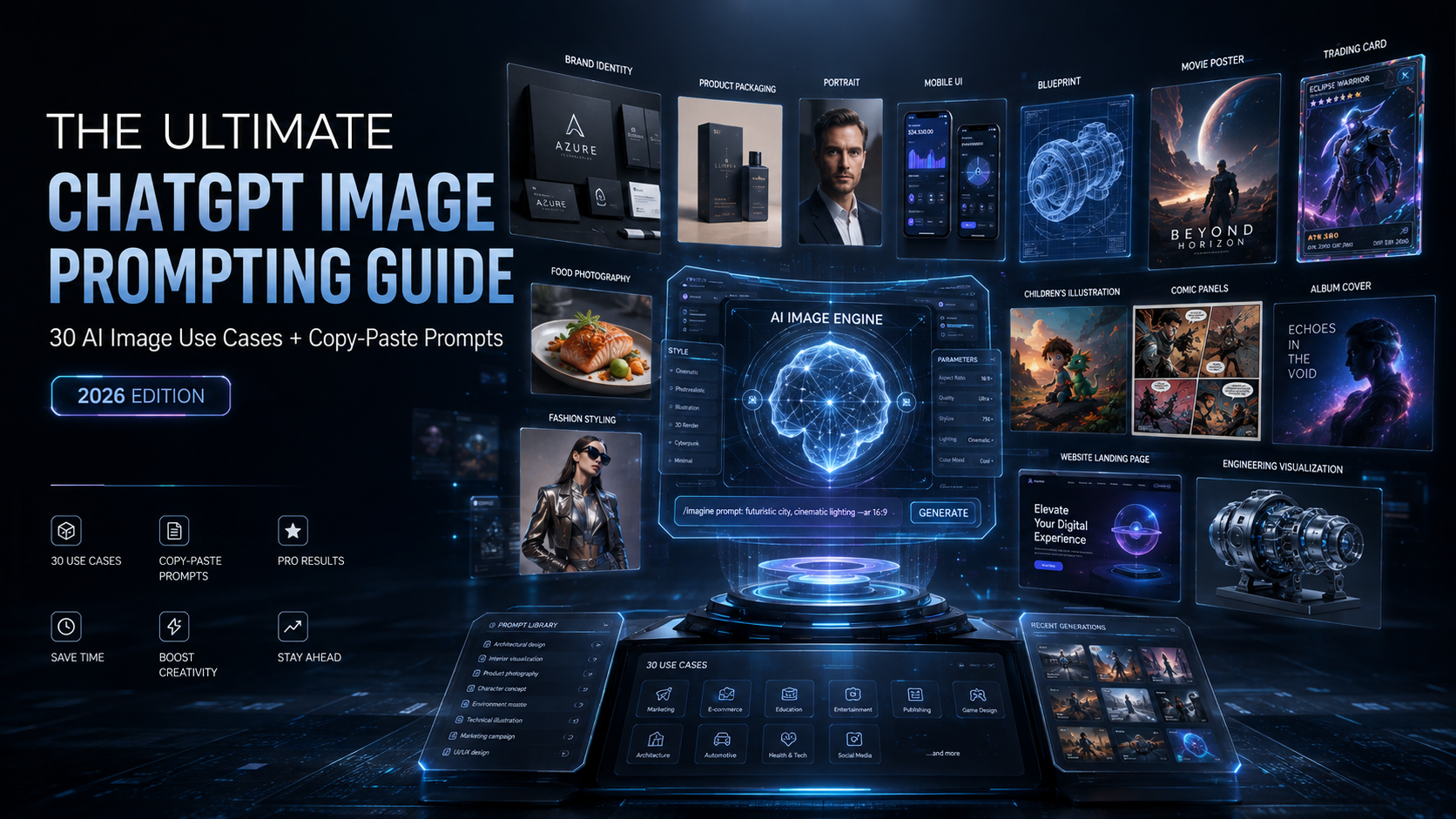
What Is GPT Image 2.0?
GPT Image 2, also called ChatGPT Images 2.0, is presented in this guide as OpenAI's advanced image generation model, released in April 2026. The source describes it as being built directly into the GPT-4o architecture, allowing it to reason about a request before generating an image.
The guide highlights improved text rendering, consistency across multiple outputs, and the ability to follow complex multi-constraint prompts. It covers 30 practical and creative use cases, each paired with a copy-paste prompt that can be adapted for your own projects.
Why GPT Image 2 Is Different
- Near-perfect text rendering: The guide emphasizes legible text inside images, including headlines, labels, statistics, and captions.
- Multi-constraint prompts: The source says the model can handle 7 to 8 specific requirements in one prompt, including color, composition, text, style, and lighting.
- Reasoning before generating: The model is described as processing the request before creating the image, which can improve first-pass accuracy.
- Face and object consistency: The guide highlights maintaining the same character or object across multiple images, which is useful for brand mascots and character sheets.
- 2K resolution output: The source describes high-resolution output suitable for social media, print, and professional use.
- Image-to-image editing: You can upload an image and request changes to backgrounds, styles, or additional elements while retaining the subject.
How to Access GPT Image 2
According to the source, GPT Image 2 is available inside ChatGPT for Plus, Pro, and Team subscribers. The workflow described is simple. Open a new chat, enter your image prompt, and ChatGPT generates the image in the conversation without requiring a separate model selection or settings toggle.
For API users, the guide identifies the model ID as gpt-image-2 and describes support for both text-to-image and image-to-image workflows.
Quick Start
Start with a descriptive prompt. The source recommends giving the model more detail when you want greater control over the result. For image transformation or editing, upload the source photo alongside the prompt.
1. Full Brand Kit Generator
Category: Branding and Design
Generate an entire brand identity in one conversation. The source example covers a logo, color palette, typography, business cards, social media templates, swag mockups, and packaging. It also emphasizes the ability to include readable wordmarks and other brand text.
The Prompt
Create a complete brand kit for a [type of company] called '[YOUR BRAND NAME]'. Include: 1) A logo with the brand name in [font style] typography. 2) A color palette showing 4-5 swatches with hex codes, RGB values, and CMYK values. 3) Primary and secondary typography specimens. 4) Business card design front and back. 5) Swag mockups: hoodie, t-shirt, hat, tote bag, water bottle, notebook, and mug, all featuring the brand identity. Present everything in a clean brand guidelines layout with section numbers and labels. [Describe your brand aesthetic: minimal, bold, luxury, tech, etc.]2. Action Figure Packaging
Category: Viral Trend
Turn yourself or another person into a collectible action figure presented in a premium blister pack. Upload a photo and describe accessories connected to the person's profession or hobby.
The Prompt
Create a highly detailed, realistic action figure packaging image featuring [me / the person in this photo] as a collectible figure. The packaging should resemble premium collector's edition toy packaging with a clear plastic blister window. Include accessories relevant to [your profession/hobby]: [list 4-5 items, e.g., laptop, coffee mug, phone, notebook, headphones]. The box has bold typography with '[YOUR NAME]' at the top, a tagline '[YOUR TAGLINE]' below, and a small 'LIMITED EDITION' badge. [Describe box color: matte black with gold foil / hot pink / electric blue]. Include a small character bio on the side of the box.3. 360 Panoramic Images
Category: Immersive
Create an equirectangular panorama designed for a 360-degree viewer. The source recommends using the correct panorama terminology and specifying the aspect ratio.
The Prompt
360 equirectangular panorama of [DESCRIBE YOUR SCENE: a cozy Japanese ramen shop interior at night / a tropical beach at sunset / a futuristic space station bridge]. [Add specific details: warm lighting from paper lanterns, steam rising from bowls, wooden counter with stools, detailed menu boards with Japanese text on the walls, rain visible through the entrance]. The image must be seamless when wrapped in a 360 viewer, with consistent lighting across the full field of view. Photorealistic, cinematic atmosphere, 2:1 aspect ratio.4. AI Palm Reading
Category: Viral Trend
Upload a clear palm photo and generate a visually structured palm reading report. The source prompt covers the Heart Line, Head Line, Life Line, Fate Line, and Sun Line, along with palm shape, fingers, thumb, mounts, and personalized interpretation sections.
The Prompt
Analyze this photo of my palm. Create a detailed, beautifully illustrated palm reading guide. Include: 1) A labeled diagram of my palm showing Heart Line, Head Line, Life Line, Fate Line, and Sun Line with clean annotations. 2) A section called 'THE MAJOR LINES' with individual cards for each line showing characteristics and interpretations. 3) A 'PALM FEATURES' section analyzing palm shape, fingers, thumb, and mounts. 4) A 'WHAT THIS MEANS FOR YOU' section covering Strengths, Challenges, Love and Relationships, Career and Life Path, and Guidance. Use a minimal, elegant design with a warm neutral color palette, clean typography, and icon accents. Make it look like a premium editorial palmistry report.5. Looksmaxxing and Facial Aesthetics Report
Category: Viral Trend
The guide presents a facial aesthetics report based on an uploaded selfie. Its requested analysis covers symmetry, proportions, facial structure, individual features, grooming, styling, and photogenic potential. The source frames the result as an entertainment-oriented visual report.
The Prompt
Create a clean, minimal, high-end facial aesthetics report based on the uploaded photo, using a black-on-white editorial design with thin linework, rounded cards, generous spacing, modern typography, and a refined luxury feel. Include an isolated front-facing image of the face, presented as an analytical attractiveness-assessment diagram. Provide an honest, objective evaluation of facial attractiveness potential, avoiding excessive flattery and focusing on symmetry, facial thirds, overall proportions, eye spacing and shape, nose harmony, lip proportion, jawline, chin, cheekbone structure, skin texture and tone, hairline, hairstyle, grooming, overall facial harmony, and photogenic potential. Assign clear, realistic scores to each major category, along with one overall attractiveness-potential score, keeping the ratings grounded, useful, and not artificially inflated. Include practical, achievable recommendations to improve attractiveness potential, covering grooming, haircut, facial hair, skincare, eyebrow shaping, posture, weight loss, minor aesthetic procedures, styling, and photo presentation. Maintain a refined, direct, constructive tone that feels elegant, credible, and easy to understand, with an emphasis on actionable improvements that build on the subject's existing strengths.6. Personal Color Analysis
Category: Personal Styling
Upload a portrait and generate a visual color analysis showing clothing colors that complement the subject and colors that are less flattering. The source emphasizes side-by-side comparisons and a visual-first presentation.
The Prompt
Create a personal color analysis graphic using this portrait. Show side-by-side clothing color comparisons to highlight which colors suit the subject best. Make it visual-first, with short labels only and no paragraphs. Include: 1) A 'BEST COLORS' row showing 5 flattering colors with the subject wearing each. 2) A 'LESS FLATTERING' row showing 5 colors that don't complement the subject's skin tone. 3) A 'BEST PALETTE' section with color swatches and names. Label each color clearly (e.g., Emerald, Teal, Cobalt Blue, Warm Red, Lavender). Use a clean, editorial layout with a warm neutral background.7. Personal Hairstyle Analysis
Category: Personal Styling
Generate six or more hairstyle variations and organize them into Best, Good, and Less Ideal groups. The prompt also includes recommended hair colors and asks for facial consistency across all variations.
The Prompt
Create a hairstyle analysis graphic using this portrait. Show side-by-side hairstyle comparisons to highlight which hairstyles suit the subject best. Make it visual-first, with short labels only and no paragraphs. Include: 1) A top row of 3 'Best' hairstyles with gold borders and star badges, each labeled with the style name (e.g., Textured Quiff, Classic Side Part, Soft Curtains). 2) A middle row of 2-3 'Good' options. 3) A bottom row of 2-3 'Less Ideal' styles with red badges. 4) A 'BEST HAIR COLORS' section showing 4 recommended colors as circle swatches with labels. Keep the subject's face consistent across all variations. Clean editorial layout.8. Personal Makeup Analysis
Category: Personal Styling
Create a visual makeup guide based on a portrait. The source covers foundation, eyes, blush, lips, highlight, contour, and skin undertone.
The Prompt
Create a visual makeup analysis graphic using this portrait. Feature side-by-side comparisons to determine which makeup best suits the subject, and showcase their skin undertone. The graphic should be visual-first, using only short labels with no paragraphs. Include sections for: 1) FOUNDATION - showing 3 shade matches on the subject's skin. 2) EYES - recommended shadow colors, liner style, and lash look. 3) BLUSH - 3 color options with swatches. 4) LIPS - 3 recommended lip colors shown on the subject. 5) HIGHLIGHT AND CONTOUR - a brief technique guide. Label each recommendation clearly with product-style names (e.g., Soft Brown Shadow, Rose Mauve, Berry Pink). Clean, editorial beauty-magazine layout.9. Personal Outfit and Style Guide
Category: Personal Styling
Generate a visual lookbook containing eight complete outfits. The source recommends mixing casual, smart casual, weekend relaxed, and slightly dressed-up looks while keeping the subject consistent.
The Prompt
Create a personal outfit and style guide using this photo. Generate a grid of 8 complete outfit combinations styled on the subject. Each outfit should be labeled with arrows pointing to key pieces (e.g., 'overshirt', 'knit sweater', 'tailored trousers', 'clean sneakers'). Include a mix of: casual everyday looks, smart casual, weekend relaxed, and slightly dressed up options. Keep the subject's face and body consistent across all outfits. Use a warm, neutral background. Style should feel like a [men's/women's] fashion editorial lookbook. Clean typography for labels. The overall aesthetic should be [describe: modern minimalist / streetwear / classic / preppy / etc.].10. Handwritten Notes to Digital
Category: Productivity
Photograph handwritten notes and turn them into a structured digital visual. The prompt asks the model to transcribe the page, organize the information, and create a polished notebook-style image.
The Prompt
I'm uploading a photo of my handwritten notes. Please: 1) Read and transcribe everything on the page. 2) Organize the content into logical sections with clear headings. 3) Generate a clean, beautifully formatted digital version of these notes as an image. Use a modern notebook style with color-coded sections, [your color preference: blue and grey / earth tones / pastels], bullet points, and highlighted key terms. Make it look like premium digital notes you'd see in a study app like Notion or Goodnotes.11. Infographic Generator
Category: Marketing
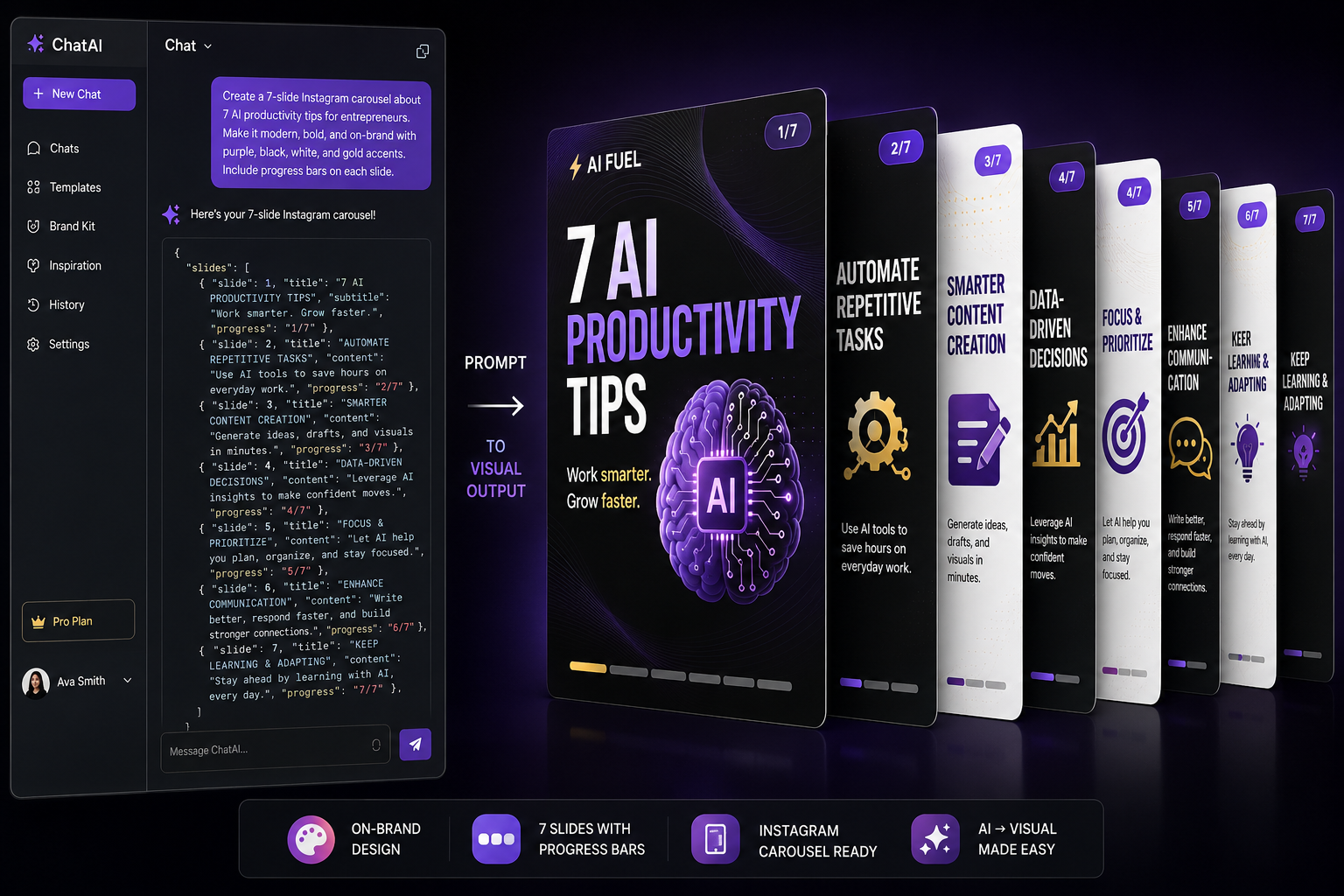
Create publication-ready vertical infographics with titles, subtitles, processes, statistics, icons, labels, color palettes, and visual hierarchy.
The Prompt
Create a vertical infographic titled '[YOUR TITLE]' with the following sections: 1) Header with bold title and subtitle '[YOUR SUBTITLE]'. 2) [Describe section 2: a timeline, process flow, or comparison]. 3) Three stat callouts: '[STAT 1]', '[STAT 2]', '[STAT 3]'. 4) A tips section with [NUMBER] icons and labels for [TOPIC]. Use a [dark navy / white / gradient] background with [describe color accent]. Clean sans-serif typography throughout. The style should feel [modern and minimal / playful and colorful / corporate and clean].12. Magazine Cover
Category: Personal Branding
Create a luxury magazine-style cover featuring yourself or another person. The source prompt includes the magazine title, main headline, cover lines, barcode, issue date, lighting, background, and photography direction.
The Prompt
Create a luxury magazine cover in the style of [MAGAZINE NAME: Vogue / Forbes / GQ / Time / Wired] featuring [me / the person in this photo] as the cover model. Include: the magazine title '[MAGAZINE NAME]' in large elegant serif at the top, a main headline '[YOUR HEADLINE]' in white, three cover lines on the left side ('[COVER LINE 1]', '[COVER LINE 2]', '[COVER LINE 3]'), a barcode in the bottom right, and an issue date '[MONTH YEAR]'. Use dramatic editorial lighting with a [soft gradient / studio / outdoor] background. Professional [fashion / business / tech] photography composition.13. YouTube Thumbnail Generator
Category: Content Creation
Create high-contrast thumbnails with bold text, expressive faces, dramatic compositions, and a defined 16:9 format.
The Prompt
Create a YouTube thumbnail with a [split-screen / single subject / before-after] design. [Describe the scene: a shocked person with wide eyes, a glowing futuristic element, a dramatic comparison]. Include large bold [yellow / red / white] text with black outline that says '[YOUR TEXT - 3 to 5 words max]'. High contrast, vibrant saturated colors, slight dramatic zoom effect. The overall mood should create curiosity and urgency. No borders, full bleed image. 16:9 aspect ratio.14. Product Ad Campaign
Category: E-Commerce
Create product advertisements with lifestyle photography, hero compositions, typography, supporting copy, and dynamic visual effects.
The Prompt
Create a premium product advertisement for [YOUR PRODUCT: e.g., a sneaker brand called 'ALTRO']. Show [describe the hero shot: a model in athletic clothing mid-jump with the product prominently featured]. Include bold typography with the product name '[PRODUCT LINE NAME]' in large letters behind/around the subject. Add supporting copy: '[TAGLINE]' at top, '[KEY FEATURES - 2-3 short lines]' on the side, and brand name + slogan at the bottom ('[BRAND NAME]' / '[SLOGAN]'). Dynamic, energetic composition with [describe mood: teal and cream / neon and dark / clean and minimal]. Professional advertising photography with motion blur and energy effects.15. UI and UX App Mockups
Category: Tech and Design
Generate high-fidelity mobile app or website interface concepts for pitching, social content, or rapid prototyping.
The Prompt
A high-fidelity mobile app UI screen for a [TYPE OF APP: meditation / fitness / finance / social / food delivery] app. [Dark mode / light mode] design. Show a [HOME / PROFILE / DASHBOARD] screen with: [ELEMENT 1: user greeting 'Good evening, [NAME]' at top], [ELEMENT 2: main visual or data display], [ELEMENT 3: action buttons or selectors], [ELEMENT 4: primary CTA button in [COLOR] gradient saying '[BUTTON TEXT]'], and a bottom navigation bar with [TAB 1], [TAB 2], [TAB 3], and [TAB 4] icons. [Glassmorphism / Material Design / iOS native] style, subtle blur effects, [FONT NAME] font aesthetic.16. Studio Ghibli Transformation
Category: Art and Style
Transform an uploaded photo into an animated illustration with the visual characteristics described in the source. The guide suggests this for selfies, pets, food, landscapes, and city scenes.
The Prompt
Transform this photo into a Studio Ghibli animated film style. Keep the same composition and subject but render everything in the distinctive Ghibli aesthetic: soft watercolor-like backgrounds, warm natural lighting, gentle wind in hair/clothes, lush green environment, puffy cumulus clouds in a blue sky, and the characteristic Ghibli character design with expressive but gentle features. The mood should feel peaceful and nostalgic, like a still frame from [Spirited Away / Howl's Moving Castle / My Neighbor Totoro / Princess Mononoke].17. Custom Product Packaging Design
Category: E-Commerce
Design packaging for products such as coffee bags, cereal boxes, supplement bottles, candles, or skincare. The prompt controls material, orientation, label text, illustration style, accent details, props, and background.
The Prompt
Design premium packaging for a [PRODUCT TYPE: coffee bag / cereal box / supplement bottle / candle / skincare] brand called '[BRAND NAME]'. The [PACKAGE TYPE] is [MATERIAL: matte black kraft paper / glossy white box / amber glass jar], [ORIENTATION: standing upright / lying flat]. The label features: brand name '[BRAND NAME]' in [FONT STYLE] at the top, '[PRODUCT VARIANT]' below in smaller text, a [ILLUSTRATION STYLE: minimalist line / watercolor / geometric] illustration of [SUBJECT], [ADDITIONAL TEXT: tasting notes, ingredients, weight/volume], and '[SIZE/WEIGHT]' at the base. [ACCENT DETAILS: gold foil elements / embossed texture / holographic sticker]. A few [SCATTERED PROPS: coffee beans / herbs / flower petals] around the base. Clean product photography on [BACKGROUND COLOR] background.18. Comic Strip Generator
Category: Storytelling
Create multi-panel comics with consistent characters, speech bubbles, captions, and story progression.
The Prompt
Create a [3/4/6]-panel comic strip in a [clean modern / retro halftone / manga / watercolor] illustration style. Panel 1: [SCENE DESCRIPTION]. Speech bubble: '[DIALOGUE]'. Panel 2: [SCENE DESCRIPTION]. [Caption/speech bubble: '[TEXT]']. Panel 3: [SCENE DESCRIPTION]. Panel [LAST]: [PUNCHLINE SCENE]. Caption: '[PUNCHLINE TEXT].' Clean white background, bold outlines, vibrant flat colors. Keep the main character looking consistent across all panels.19. Holographic Trading Card
Category: Viral Trend
Turn a person into a collectible trading card with a holographic border, dynamic pose, statistics, rarity tier, card number, and themed background.
The Prompt
Create a holographic trading card featuring [me / the person in this photo]. Design it like a premium collectible card game format with: a holographic rainbow border with light refraction effects, [my/their] image in a dynamic pose in the center, a name bar at the bottom with the name '[YOUR NAME]', stat bars for [STAT 1]: [VALUE], [STAT 2]: [VALUE], [STAT 3]: [VALUE], [STAT 4]: [VALUE]. Include a rarity indicator ([NUMBER] stars, [RARITY TIER: Common / Rare / Epic / Legendary] tier), a card number '#[NUMBER]/[TOTAL]' in the corner, and a [cosmic nebula / elemental fire / electric] background behind the figure. Shiny, iridescent surface effects throughout.20. Professional Food Photography
Category: Food and Lifestyle
Generate commercial-style food photography for menus, social media, recipe blogs, or lifestyle content. You can also use a photo of a home-cooked meal as the starting point.
The Prompt
A stunning [overhead flat-lay / 45-degree angle / close-up macro] food photograph of [DESCRIBE YOUR DISH/SPREAD in detail]. Include props: [LIST PROPS: linen napkin, cutlery, fresh herbs, small jar of honey, glass of wine, flowers]. [SURFACE: rustic wooden table / marble countertop / dark slate / white ceramic]. Soft natural [window light from the upper left / golden hour / studio strobe] lighting. Shallow depth of field on edges. Professional food photography, shot for [a lifestyle magazine / Instagram / restaurant menu]. [MOOD: warm and cozy / bright and fresh / moody and dramatic] color grading.21. Custom Meme Generator
Category: Fun and Viral
Create an original meme image by defining the scene, setting, text placement, typography, and emotional expression.
The Prompt
Create a meme image of [DESCRIBE THE FUNNY SCENE: a golden retriever sitting at an office desk wearing a tiny necktie, looking intensely at a laptop with reading glasses]. [SETTING DETAILS: office cubicle, fluorescent lighting, a coffee mug that says '[FUNNY MUG TEXT]']. Above the image in bold white Impact font with black outline: '[YOUR MEME TEXT - TOP]'. [Optional: Below the image: '[YOUR MEME TEXT - BOTTOM]']. Photorealistic with comedic timing. The expression should convey [EMOTION: confusion, panic, supreme confidence, existential dread].22. LinkedIn-Ready Headshots
Category: Professional
Transform a casual selfie into a polished corporate headshot. The source prompt controls background, studio lighting, clothing, eye catchlights, lens characteristics, and skin texture.
The Prompt
Transform this casual photo into a professional corporate headshot. Keep my exact face, features, and expression but: change the background to a clean, soft [grey gradient / navy blue / warm beige] studio backdrop, improve the lighting to professional three-point studio lighting, adjust my attire to a [navy blue blazer over a white shirt / black turtleneck / professional blouse] (if not already wearing professional clothing), and add subtle catchlights in the eyes. The result should look like it was shot by a professional portrait photographer with an 85mm lens at f/2.8. Natural skin texture, no over-smoothing, subtle pores visible.23. Movie Poster Concept
Category: Entertainment
Design a cinematic poster for a real or fictional film. The source includes genre, key visual, title treatment, tagline, credits, color palette, contrast, and poster format.
The Prompt
Design a dramatic movie poster for a [GENRE: sci-fi thriller / horror / romantic comedy / action] called '[MOVIE TITLE]'. Show [DESCRIBE THE KEY VISUAL: a lone astronaut on a barren alien landscape looking up at an enormous glowing geometric structure]. The title '[MOVIE TITLE]' is displayed in [FONT STYLE: large futuristic sans-serif / dripping horror / elegant script] at the [top / bottom / center]. Below the image: '[TAGLINE]' in small caps. At the bottom, include a credits block in the standard tiny movie poster font. Color palette: [DESCRIBE: deep blues and blacks with cyan accent / blood red and black / warm golden tones]. Cinematic, high contrast, [IMAX / vintage grindhouse / Criterion Collection] poster format.24. Custom Tattoo Design
Category: Personal
Generate a tattoo concept by defining placement, dimensions, visual style, subject, additional elements, composition, and presentation format.
The Prompt
Design a tattoo for the [PLACEMENT: inner forearm / upper arm / shoulder / back / ribs], approximately [SIZE: 4/6/8] inches [tall/wide]. Style: [STYLE: fine-line black and grey / traditional American / watercolor / geometric / Japanese / blackwork / neo-traditional / minimalist]. Subject: [DESCRIBE YOUR DESIGN: a geometric wolf portrait where half the face is realistic with detailed fur texture and the other half dissolves into sacred geometry patterns]. [ADDITIONAL ELEMENTS: small crescent moon above / flowers wrapping around / banner with text '[YOUR TEXT]']. The composition should be [vertical and narrow / circular / horizontal] to fit the [PLACEMENT] naturally. Clean white background, tattoo flash sheet presentation.25. Blueprint and Technical Drawing
Category: Technical
Generate engineering-style drawings, architectural diagrams, product concepts, or invention studies with multiple views, dimensions, component callouts, materials, facts, and scale information.
The Prompt
Generate a technical blueprint illustration of [SUBJECT: the Eiffel Tower / a futuristic electric motorcycle / your dream house / a mechanical watch], displayed from [NUMBER] perspectives: [LIST: side view, top view, front elevation, cross-section, exploded view]. [Blue technical drawing paper background with white line work / White paper with black line art / Aged parchment with brown ink]. Include: dimension lines with measurements, component callouts labeling [LIST KEY PARTS], a materials and quantities table, key facts section, and a scale bar at the bottom. Engineering precision line art, [patent drawing / architectural blueprint / Da Vinci manuscript] aesthetic.26. Children's Book Illustrations
Category: Education
Create consistent illustrations for children's stories, classroom materials, self-published books, or personalized bedtime stories.
The Prompt
Create a children's book illustration of [DESCRIBE SCENE: a small red fox wearing a tiny blue backpack, walking across a mossy log bridge over a gentle stream in an enchanted forest]. [DETAIL: fireflies glow around the scene, large friendly mushrooms grow along the stream bank]. The style should be [warm and inviting / bold and graphic / soft and dreamy] like a classic picture book. [ART MEDIUM: watercolor and colored pencil texture / digital gouache / cut-paper collage], gentle [pastel / vibrant / earth tone] colors with [warm golden / cool blue / soft pink] light filtering through. The [CHARACTER] looks [EMOTION: curious and brave / sleepy and cozy / excited and joyful].27. Plushy and Claymation Transformation
Category: Fun and Viral
Transform a photo into a plush toy, Claymation character, or vinyl collectible. The source says the approach can be applied to people, pets, objects, food, vehicles, and buildings.
The Prompt
Transform this photo into a cute [3D plush toy version / Claymation character / vinyl figurine]. The subject should look like a [handmade stuffed animal made from soft fleece and felt / stop-motion clay figure / glossy vinyl collectible]. [FOR PLUSHY: visible stitching along the seams, button eyes with a slight shine, rosy embroidered cheeks, and a soft cotton stuffing feel]. [FOR CLAYMATION: visible fingerprint impressions in the clay, slightly imperfect shapes, matte texture]. Place it on a clean white background as if it's a product photo for a toy store. Soft studio lighting with subtle shadows. Kawaii aesthetic, chubby proportions, irresistibly cute.28. Double Exposure Photography
Category: Art and Creative
Create fine-art double exposure imagery by combining a portrait silhouette with a landscape, cityscape, or other scene.
The Prompt
Create a dramatic double exposure photograph. A silhouette of a [woman's / man's] profile facing [right / left]. Inside the silhouette, reveal [DESCRIBE SCENE: a dense foggy pine forest with morning light streaming through the trees and a lone eagle soaring / a bustling cityscape at night with neon lights / ocean waves crashing on rocks]. The edges of the silhouette blend seamlessly into a pure [white / black / colored] background. Fine art photography style with [high contrast / soft gradient / moody tones]. [Warm golden tones in the light rays / cool blue moonlight / vibrant sunset colors]. Minimalist composition.29. Album Cover and Vinyl Record Art
Category: Music and Entertainment
Design a custom album cover for any music genre. The prompt controls genre, scene, typography, artist name, mood, and square vinyl proportions.
The Prompt
Create a vinyl record cover for a [GENRE: jazz / hip-hop / electronic / indie rock / classical] album called '[ALBUM TITLE]'. The cover shows [DESCRIBE THE SCENE: a rain-soaked Tokyo alley at night with neon signs reflecting in puddles and a silhouette of a saxophone player under a small awning]. The album title '[ALBUM TITLE]' is in [TYPOGRAPHY STYLE: vertical Japanese-inspired / bold graffiti / clean helvetica / hand-lettered] on the [right side / center / bottom]. Artist name '[ARTIST NAME]' in small elegant text at the [top / bottom]. [MOOD: moody film noir with cyan and magenta neon / warm golden vinyl aesthetic / raw punk energy with red and black]. Cinematic, atmospheric, 12-inch square format.30. Website Landing Page Design
Category: Business
Generate a full landing-page mockup for SaaS products, e-commerce businesses, agencies, or portfolios. The source focuses on the hero section, headline, subheadline, CTA, product visual, social proof, feature elements, typography, color, and viewport width.
The Prompt
Design a modern [SaaS / e-commerce / agency / portfolio] website landing page for [PRODUCT/COMPANY NAME: e.g., an AI writing assistant called 'Quill']. Show the full page scrolled to the hero section. Include: a large headline '[YOUR HEADLINE]', a subheadline '[YOUR SUBHEADLINE]', a [purple / blue / green / orange] gradient CTA button saying '[CTA TEXT]', a [browser mockup showing the product / hero image / illustration], [floating testimonial cards / social proof logos / feature icons], and a clean [white / dark] background with subtle [color] gradient accents. Modern [SaaS / agency / e-commerce] design, [Inter / SF Pro / Poppins] font aesthetic, plenty of white space. Desktop viewport, 1440px wide.10 Prompting Rules for GPT Image 2
1. Be Brutally Specific
Vague prompts tend to produce generic results. Instead of asking for "a cat", the source recommends describing the subject, setting, lighting, and photographic treatment in detail. Its example is a fluffy orange tabby sitting on a windowsill watching rain, with soft natural lighting and a 35mm film look.
2. Specify Your Text Exactly
When text needs to appear inside the image, provide the exact words in quotation marks. The source contrasts "A sign that says OPEN 24 HOURS" with the less precise instruction "a sign with opening hours."
3. Mention the Camera and Lens
Camera terminology can influence composition and depth of field. The source examples include an 85mm portrait lens at f/1.8, a wide-angle 16mm lens, and macro photography.
4. Name Your Lighting
Lighting establishes the visual mood. Useful descriptions from the source include studio lighting, golden hour, neon signs, overcast daylight, dramatic side light, and ring light.
5. Reference Real Styles
The guide recommends using recognizable visual directions when appropriate. Its examples include a Wes Anderson color palette, a Christopher Nolan film look, and Architectural Digest photography style.
6. Use Image-to-Image
Upload a reference photo alongside the prompt when you want to transform an existing image. The source examples include turning an image into a character style or placing a product into a luxury setting.
7. Specify What Not to Include
Negative instructions can help reduce unwanted visual elements. The source examples include "No text overlays, no watermarks, no blurry edges, no extra fingers."
8. Request Multiple Elements
The guide encourages combining multiple requirements in a single prompt. It specifically describes combining colors, lighting, composition, text, and style, while noting that GPT Image 2 can handle 7 to 8 constraints.
9. Iterate, Do Not Start Over
Build on a successful result instead of recreating the entire prompt. The source examples include "Same image but make the background darker" and "Keep everything but change the font to serif."
10. Specify Dimensions
Include an aspect ratio or resolution when the output needs to fit a particular destination. The guide gives examples such as Instagram Story format at 9:16, a cinematic 21:9 image, and a square 1:1 profile picture.
Quick Reference: All 30 Use Cases
| # | Use Case | Category | Key Words to Start Your Prompt |
|---|---|---|---|
| 1 | Full Brand Kit | Branding | "Complete brand kit for [brand name]..." |
| 2 | Action Figure | Viral | "Action figure packaging featuring me..." |
| 3 | 360 Panorama | Immersive | "360 equirectangular panorama of..." |
| 4 | Palm Reading | Viral | "Analyze this photo of my palm..." |
| 5 | Looksmaxxing | Viral | "Facial aesthetics report based on..." |
| 6 | Color Analysis | Styling | "Personal color analysis graphic..." |
| 7 | Hairstyle Analysis | Styling | "Hairstyle analysis graphic..." |
| 8 | Makeup Analysis | Styling | "Visual makeup analysis graphic..." |
| 9 | Outfit Guide | Styling | "Personal outfit and style guide..." |
| 10 | Notes to Digital | Productivity | "Transform these handwritten notes..." |
| 11 | Infographic | Marketing | "Create a vertical infographic titled..." |
| 12 | Magazine Cover | Personal | "Luxury magazine cover in the style of..." |
| 13 | YouTube Thumbnail | Content | "YouTube thumbnail with..." |
| 14 | Product Ad | E-Commerce | "Premium product advertisement for..." |
| 15 | App Mockup | Tech | "High-fidelity mobile app UI for..." |
| 16 | Ghibli Style | Art | "Transform this photo into Studio Ghibli..." |
| 17 | Packaging Design | E-Commerce | "Design premium packaging for..." |
| 18 | Comic Strip | Storytelling | "Create a [#]-panel comic strip..." |
| 19 | Trading Card | Viral | "Holographic trading card featuring me..." |
| 20 | Food Photography | Lifestyle | "Professional food photograph of..." |
| 21 | Custom Meme | Fun | "Create a meme image of..." |
| 22 | Pro Headshot | Professional | "Professional corporate headshot..." |
| 23 | Movie Poster | Entertainment | "Movie poster for [title]..." |
| 24 | Tattoo Design | Personal | "Design a tattoo for [placement]..." |
| 25 | Blueprint | Technical | "Technical blueprint illustration of..." |
| 26 | Children's Book | Education | "Children's book illustration of..." |
| 27 | Plushy/Claymation | Fun | "Transform this into a plush toy..." |
| 28 | Double Exposure | Art | "Double exposure silhouette with..." |
| 29 | Album Cover | Music | "Vinyl record cover for [genre]..." |
| 30 | Landing Page | Business | "Modern SaaS landing page for..." |
How to Get Better Results From These Prompts
The 30 use cases in this guide follow a consistent prompting pattern. Define the subject first. Then specify the composition, visual style, text, lighting, materials, dimensions, and other constraints that matter for the intended output.
When you need to transform an existing image, upload the reference image and clearly separate what should remain from what should change. For consistent characters, products, or visual identities, repeat the important identity and style requirements across prompts.
For designs containing text, provide the exact wording. For technical or commercial outputs, specify dimensions, viewpoints, labels, materials, colors, and layout requirements instead of leaving those decisions ambiguous.
When the first result is close, iterate on it. Change one or two variables at a time so you can preserve successful elements while refining the result.
Conclusion
ChatGPT image generation can support a wide range of visual workflows, from branding and marketing to personal styling, technical visualization, education, entertainment, and creative experimentation.
The strongest pattern throughout this guide is specificity. Define what you want to see, what text must appear, how the image should be composed, which visual style should guide it, what dimensions the output needs, and which elements should remain consistent.
The 30 prompts provide starting structures that you can customize for your own projects. The 10 prompting rules provide the broader method: be specific, control text, define camera and lighting, use references, state exclusions, combine constraints, iterate on successful results, and specify dimensions.
Comments (0)
No comments yet. Be the first to share your thoughts!
Leave a Comment